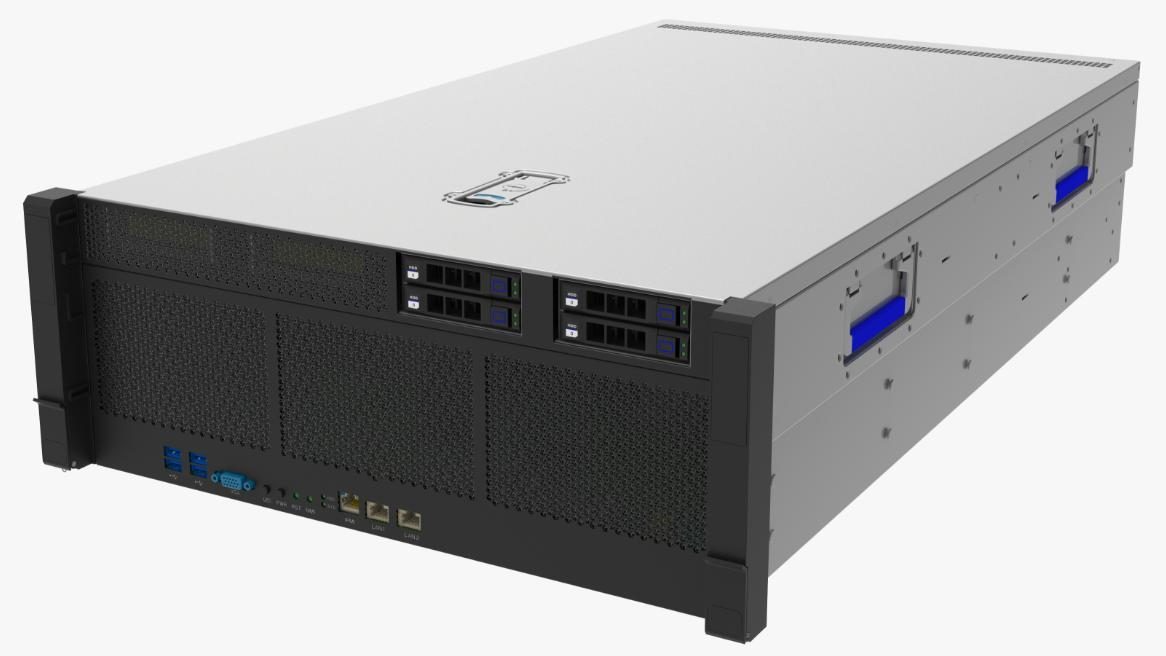
An 8-GPU system can draw 4–5 kW, and airflow design determines whether you get full compute performance. This article explains front-to-back airflow, active vs. passive cooling, and the liquid-cooling trend.
An 8-GPU server is a high-power device. A single mainstream AI accelerator draws roughly 300 to 700 W; eight cards plus dual processors, memory, and storage can push total system power to 4–5 kW. At this level, cooling can't be solved by simply adding more fans—airflow design directly determines whether the system runs stably.
We've seen projects where the hardware list looked complete, with eight high-end cards, yet the system throttled as soon as training jobs ran, delivering less than half its theoretical compute. Investigation traced the problem to chassis airflow—hot air couldn't be exhausted effectively, the cards baked each other, and high temperatures triggered protection. Such problems are hard to fix after assembly, since the chassis structure is already fixed.
This article explains why GPU server chassis must emphasize airflow design, and the key cooling design points for 8-GPU systems.
【Basic Principles of Airflow Design】
The essence of server cooling is using airflow to carry away heat generated by the chips. Airflow design has two core goals: first, make cool air flow efficiently across the heat sources; second, exhaust hot air quickly without recirculation.
In 8-GPU systems, GPUs are the main heat source, and a straight-through "front-in, rear-out" layout is typical: cool air is drawn in at the front, passes across the GPU array, and is exhausted by the rear fan wall. Poor airflow design leads to several typical problems: cool air bypassing the GPUs before reaching them, hot air recirculating from rear to front, and dead airflow zones between cards. The result is some cards running noticeably hotter, triggering throttling or protection.
For identically configured 8-GPU systems, the presence or absence of good airflow design can produce a GPU temperature difference of more than ten degrees Celsius—enough to change overall compute performance. So during selection, details like chassis airflow design, fan wall configuration, and air-guiding structures deserve closer scrutiny than the simple "number of cards supported" spec.
【Expansion Card Spacing and Power Design】
Eight full-height, full-length GPU cards mounted vertically need at least eight PCIe x16 slots, usually with a dual-socket processor motherboard. The chassis must leave appropriate spacing between cards—too tight blocks intake air, too loose wastes space.
Power delivery is another critical link. Each card may need one or more 8-pin, or even 16-pin (12VHPWR), power connectors, so the cabling harness for eight cards is substantial. The chassis must reserve routing space, and the power modules must handle transient high loads. Some accelerators draw instantaneous power spikes when training jobs start; without power-design headroom, the system may simply lose power and reboot.
On the PSU side, 8-GPU systems often use multiple redundant power modules rated above 1600 W each, with three to four modules in parallel. An ordinary tower PSU can't handle this. Confirm how many modules the chassis PSU bay can hold, whether the power distribution scheme is sound, and whether enough PCIe power connectors are routed to the motherboard area.
【Active and Passive Cooling Solutions】
GPU cards come in actively cooled and passively cooled types. Active cards have their own fans and rely less on chassis airflow; passive cards have no fans and depend entirely on chassis airflow, placing extremely high demands on airflow design.
In high-density 8-GPU systems, some solutions pair passive cards with high-airflow chassis fans to reduce failure points and control noise. If the airflow design is inadequate, the cards will overheat. You must settle the card type first, then match the corresponding airflow solution.
Maintenance is another consideration. Active-card fans are wear items—eight cards mean eight fan sets, with a nontrivial failure probability under long-term high-RPM operation. Passive cards have no fans, reducing maintenance points. So where the data-center environment permits, passive cards combined with good chassis airflow often offer better long-term reliability.
【Noise Control】
The fan wall of an 8-GPU system spins fast, and noise at full load can exceed 80 dB—acceptable in a data hall but not in an office. That's why such systems are basically deployed in data centers or dedicated server rooms.
If the project is noise-sensitive, consider liquid cooling or other low-noise designs—a different selection direction with a completely different cost structure. Some customers didn't fully assess noise up front, deployed near office areas, and eventually had to relocate because of complaints. So clarify the deployment environment during selection.
Besides noise, an 8-GPU system also places demands on data-center power and floor loading. A 4–5 kW system needs ample power capacity and cooling in the room; a unit fully loaded with eight cards is heavy, and rack weight capacity must be calculated.
【Application Trends in Liquid Cooling】
As per-rack power density keeps rising, air-cooling solutions are approaching their limits. Cold-plate liquid cooling has begun to be deployed at scale on high-density AI servers, using liquid to carry away heat from GPUs and processors—significantly improving cooling efficiency and enabling higher-density deployment.
For high-density 8-GPU systems, the choice between air and liquid cooling should be evaluated against room conditions, power density, and budget. Liquid cooling requires higher up-front investment, but in high-density scenarios its cooling capacity and energy-efficiency advantages are beyond what air cooling can match. If compute density still has room to grow, include liquid cooling in the early evaluation.
Looking at the trend, as new-generation accelerators keep drawing more power, liquid cooling penetration in AI servers is rising rapidly. For now, it's worth evaluating liquid cooling in parallel as an option, leaving room for future compute upgrades.
【8-GPU System Selection Checklist】
Dimension Typical 8-GPU Config Key Check
Motherboard Dual-socket + 8×PCIe x16 Confirm slot spacing and power delivery
Cooling Front-in, rear-out straight airflow Check card spacing, fan wall, no recirculation
GPU cards Active / passive cooling Card type determines airflow requirements
Power Multiple redundant modules 1600 W+ Size to system peak draw
Noise Over 80 dB at full load Suitable only for server-room environments
Cooling route Air / cold-plate liquid Choose by power density and room conditions
A GPU server's airflow is one of those elements that's "decided before assembly and hard to fix afterward." Once the chassis structure and card positions are set, there's very little room for later adjustment. So clarify airflow, power, and noise matters during selection.
A practical tip: before placing the order, put together a checklist of GPU models, quantities, and room conditions (power, floor loading, noise requirements), and check each item against the chassis solution. Ideally, obtain full-load temperature test data from the vendor; if that's not available, ask for further confirmation on key details.
We've completed many GPU barebone and full-system integration projects, spanning 4 to 8 cards and air- to liquid-cooling solutions, and we know the cooling and structure of high-power systems well. If your project involves multi-GPU configurations, send us the GPU models, quantities, and room conditions, and we'll help verify the airflow and power solution.